# Phát hiện điểm chính
Keypoint detection nhận diện và xác định vị trí các điểm quan tâm cụ thể trong một hình ảnh. Các điểm này, còn được gọi là landmarks, đại diện cho các đặc điểm có ý nghĩa của các đối tượng, chẳng hạn như các đặc điểm khuôn mặt hoặc các bộ phận của đối tượng. Các mô hình này nhận đầu vào là một hình ảnh và trả về các đầu ra sau:
- **Keypoints và Scores**: Các điểm quan tâm và điểm tin cậy tương ứng.
- **Trình mô tả**: Đại diện cho vùng ảnh bao quanh mỗi điểm chính, nắm bắt kết cấu, gradient, hướng và các thuộc tính khác của nó.
Trong hướng dẫn này, chúng tôi sẽ cho bạn thấy cách trích xuất các điểm chính (keypoints) từ hình ảnh.
Đối với hướng dẫn này, chúng ta sẽ sử dụng [SuperPoint](../model_doc/superpoint), một mô hình nền tảng cho việc phát hiện điểm then chốt.
```python
from transformers import AutoImageProcessor, SuperPointForKeypointDetection
processor = AutoImageProcessor.from_pretrained("magic-leap-community/superpoint")
model = SuperPointForKeypointDetection.from_pretrained("magic-leap-community/superpoint")
```
Hãy kiểm tra mô hình trên các hình ảnh bên dưới.
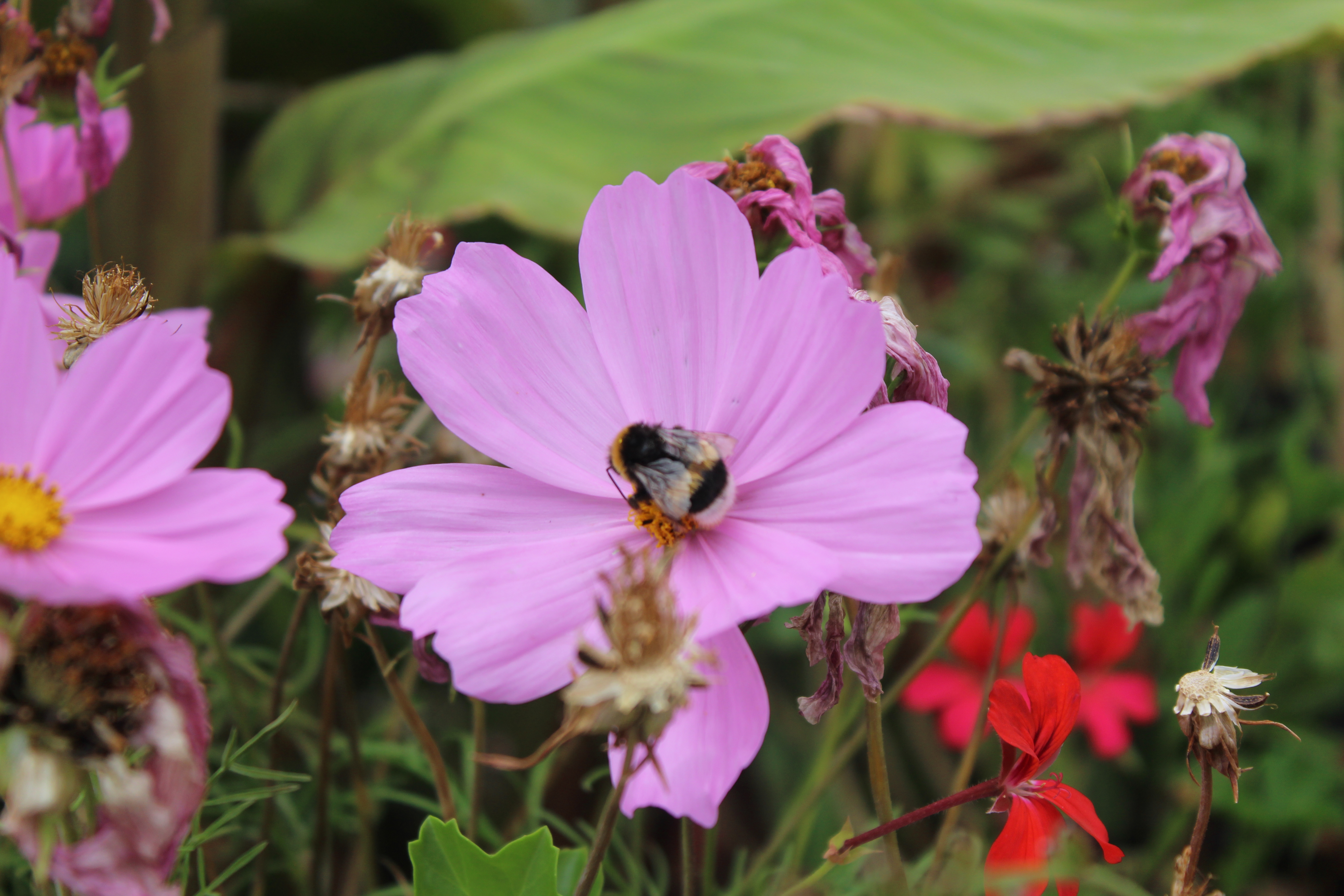
 ```python
import torch
from PIL import Image
import requests
import cv2
url_image_1 = "https://huggingface.co/datasets/huggingface/documentation-images/resolve/main/bee.jpg"
image_1 = Image.open(requests.get(url_image_1, stream=True).raw)
url_image_2 = "https://huggingface.co/datasets/huggingface/documentation-images/resolve/main/cats.png"
image_2 = Image.open(requests.get(url_image_2, stream=True).raw)
images = [image_1, image_2]
```
Bây giờ chúng ta có thể xử lý các đầu vào và suy luận.
```python
inputs = processor(images,return_tensors="pt").to(model.device, model.dtype)
outputs = model(**inputs)
```
Đầu ra của mô hình bao gồm các điểm chính tương đối, bộ mô tả, mặt nạ và điểm số cho từng phần tử trong lô. Mặt nạ làm nổi bật các khu vực trên hình ảnh có sự hiện diện của các điểm chính.
```python
SuperPointKeypointDescriptionOutput(loss=None, keypoints=tensor([[[0.0437, 0.0167],
[0.0688, 0.0167],
[0.0172, 0.0188],
...,
[0.5984, 0.9812],
[0.6953, 0.9812]]]),
scores=tensor([[0.0056, 0.0053, 0.0079, ..., 0.0125, 0.0539, 0.0377],
[0.0206, 0.0058, 0.0065, ..., 0.0000, 0.0000, 0.0000]],
grad_fn=), descriptors=tensor([[[-0.0807, 0.0114, -0.1210, ..., -0.1122, 0.0899, 0.0357],
[-0.0807, 0.0114, -0.1210, ..., -0.1122, 0.0899, 0.0357],
[-0.0807, 0.0114, -0.1210, ..., -0.1122, 0.0899, 0.0357],
...],
grad_fn=), mask=tensor([[1, 1, 1, ..., 1, 1, 1],
[1, 1, 1, ..., 0, 0, 0]], dtype=torch.int32), hidden_states=None)
```
Để vẽ các điểm chính (keypoints) thực tế trên ảnh, chúng ta cần xử lý hậu kỳ (postprocess) kết quả đầu ra. Để làm điều này, chúng ta phải truyền kích thước ảnh thực tế vào `post_process_keypoint_detection` cùng với các đầu ra.
```python
image_sizes = [(image.size[1], image.size[0]) for image in images]
outputs = processor.post_process_keypoint_detection(outputs, image_sizes)
```
Đầu ra hiện là một danh sách các từ điển, trong đó mỗi từ điển là một đầu ra đã được xử lý gồm các điểm chính (keypoints), điểm số (scores) và bộ mô tả (descriptors).
```python
[{'keypoints': tensor([[ 226, 57],
[ 356, 57],
[ 89, 64],
...,
[3604, 3391]], dtype=torch.int32),
'scores': tensor([0.0056, 0.0053, ...], grad_fn=),
'descriptors': tensor([[-0.0807, 0.0114, -0.1210, ..., -0.1122, 0.0899, 0.0357],
[-0.0807, 0.0114, -0.1210, ..., -0.1122, 0.0899, 0.0357]],
grad_fn=)},
{'keypoints': tensor([[ 46, 6],
[ 78, 6],
[422, 6],
[206, 404]], dtype=torch.int32),
'scores': tensor([0.0206, 0.0058, 0.0065, 0.0053, 0.0070, ...,grad_fn=),
'descriptors': tensor([[-0.0525, 0.0726, 0.0270, ..., 0.0389, -0.0189, -0.0211],
[-0.0525, 0.0726, 0.0270, ..., 0.0389, -0.0189, -0.0211]}]
```
Chúng ta có thể sử dụng những điểm này để vẽ các điểm chính (keypoints).
```python
import matplotlib.pyplot as plt
import torch
for i in range(len(images)):
keypoints = outputs[i]["keypoints"]
scores = outputs[i]["scores"]
descriptors = outputs[i]["descriptors"]
keypoints = outputs[i]["keypoints"].detach().numpy()
scores = outputs[i]["scores"].detach().numpy()
image = images[i]
image_width, image_height = image.size
plt.axis('off')
plt.imshow(image)
plt.scatter(
keypoints[:, 0],
keypoints[:, 1],
s=scores * 100,
c='cyan',
alpha=0.4
)
plt.show()
```
Dưới đây là các kết quả đầu ra.

